Trimble SiteVision

Augmented Reality for Visualising Construction

Imagine seeing what’s hidden or yet to be built. With Trimble® SiteVision™, you can visualise geospatial data, designs, underground utilities, and complex information with precision and real-world context—directly on your mobile device via the Trimble Cloud.
Provide Real-World Context to Your Design

Visualise in 3D

Visualise in 3D

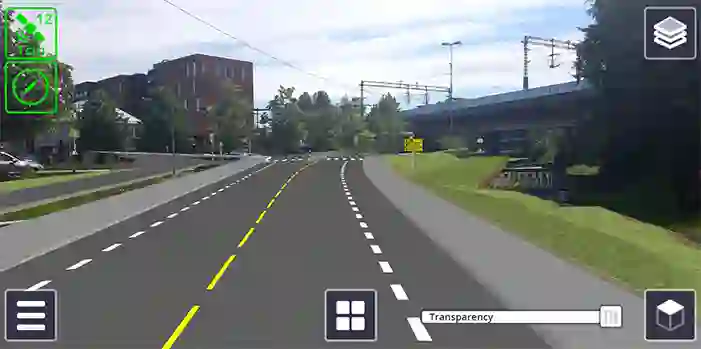
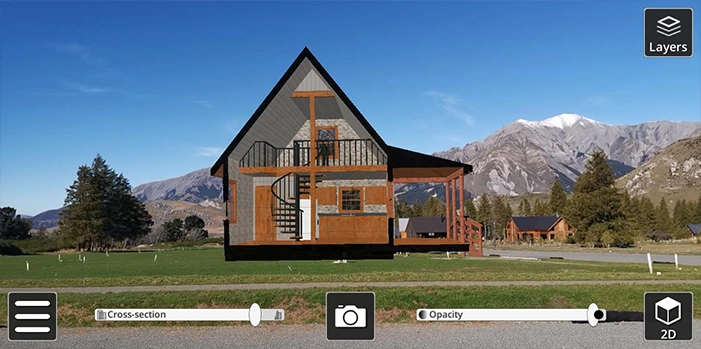
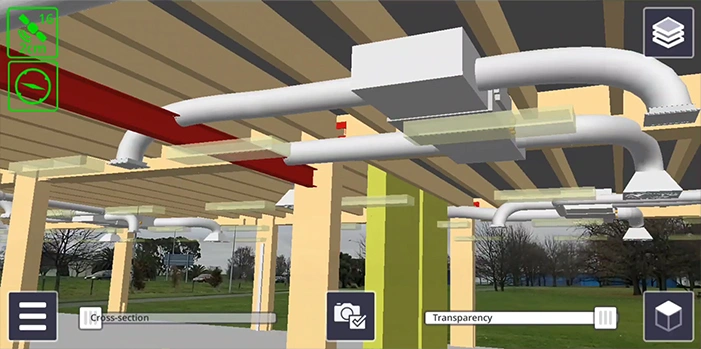
Place and view georeferenced 3D models from any angle at true-to-life scale-above or below the ground.

Collaborate

Collaborate

Share, communicate, and collectively interact in real time with easy-to-understand visualisations.

Report

Report

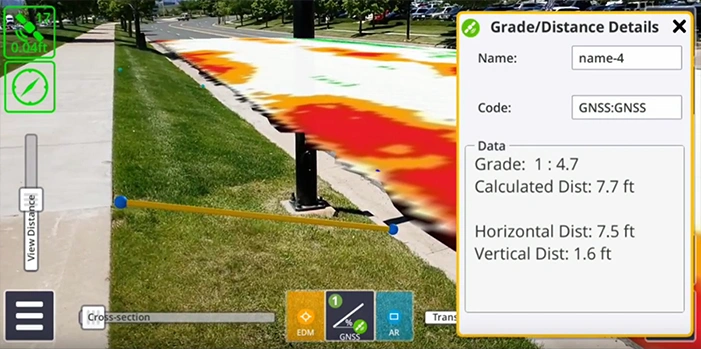
Take photos, measurements and notes in the field; create tasks and assign them to team members.

Measure

Measure

Measure positions using GNSS, Electronic Distance Measurement and AR to better understand your data on site.

See SiteVision in Action

Trimble® SiteVision™ is an augmented reality system that brings 3D models, designs, and spatial data to life in the real world. Using your mobile device, you can visualise projects as they will appear once built, locate underground utilities or hidden elements, and make faster, more informed decisions directly on site.

High-accuracy positioning and measurement in a single package

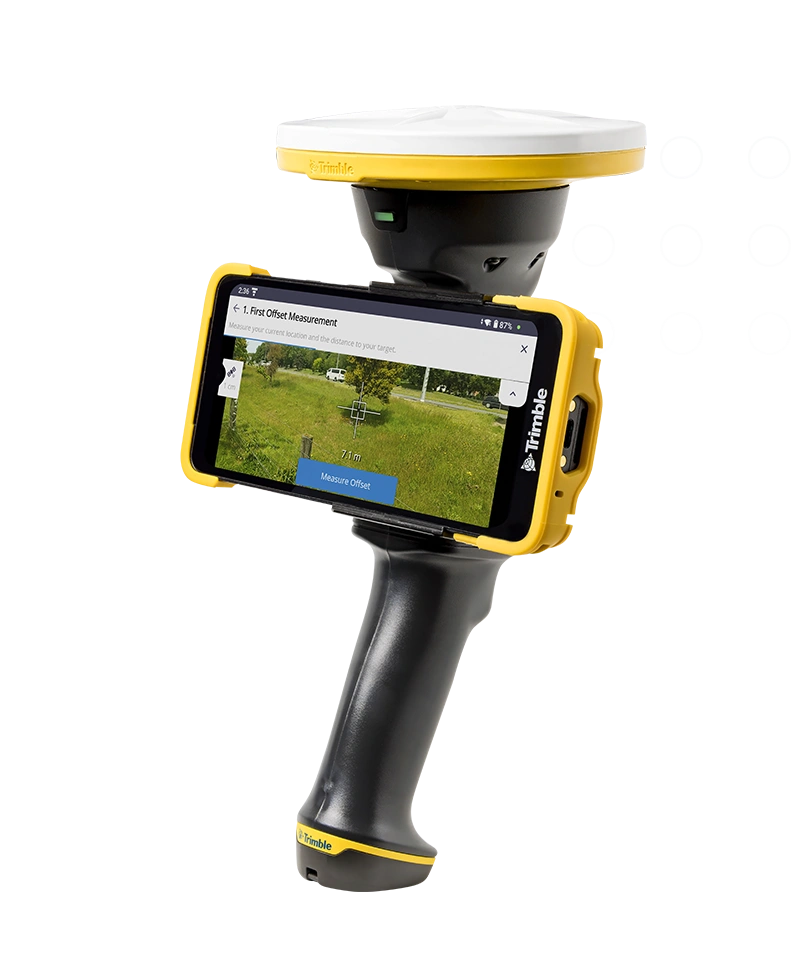
Trimble® SiteVision™ combines high-accuracy positioning and measurement tools in a single portable system. With centimetre-level GNSS accuracy powered by Trimble Catalyst and EDM capabilities using iOS LiDAR devices, it works seamlessly with both iOS and Android phones or tablets. Lightweight and versatile, it can be used handheld or mounted on a range pole for enhanced precision.

HPS2 GNSS System
Trimble Connect

Trimble Connect

Manage and publish models to the field.

SketchUp

SketchUp

Visualise models in real-world scale, communicate design intent.

Tekla

Tekla

Bring constructible models into SiteVision to verify fit, alignment, and coordination on site.

Trimble Access, Catalyst, and GNSS Solutions

Trimble Access, Catalyst, and GNSS Solutions

Combine with your existing Trimble workflows.

APPLICATIONS

TRIMBLE SITEVISION IS ALREADY AT WORK IN YOUR INDUSTRY

Client Engagement

Simplify explaining to clients by letting them see proposed designs, in situ using Augmented Reality. Allow the clients to walk around the proposed design and understand the details from different viewing angles in the context of the site. Share and discuss proposed design and design changes.

Planning

Planning

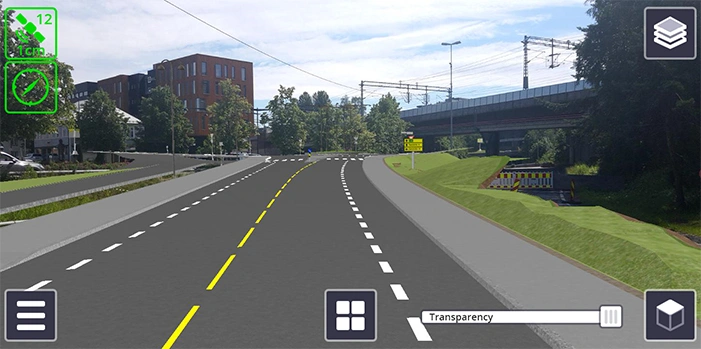
How will my planned road affect the surrounding environment? Use SiteVision to visualise design, the cut and fill values and how it will affect the surrounding environment.

Inspection

What is the progress of construction on site? Use SiteVision to visualise work planned, undertake inspections and work completed on a ‘Stakeless Site’.

Subsurface Utilities

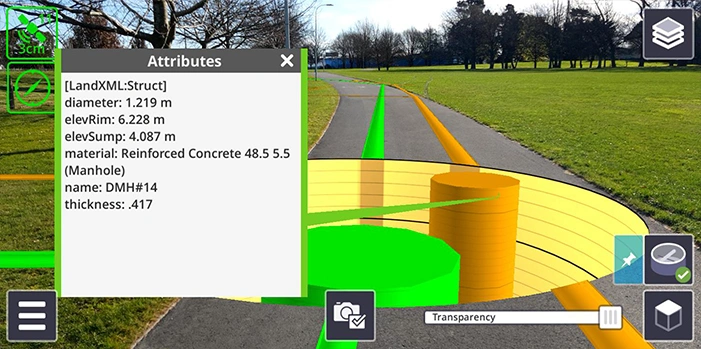
Where is the existing infrastructure that I can’t see? Use SiteVision to utilise sub surface mapping information to visualise the location, size and attributes of underground infrastructure such as water, power, gas and telecommunications.

Electrical Utilities

View the visual impact of proposed designs. SiteVision allows you to provide better context on proposed changes during the public consultation phase, improving public understanding. Communicate with contractors the intended outcome and logistics associated with the construction phase.

Cadastral Boundaries

How can I communicate land rights and restrictions? Use SiteVision as a tool to visualise cadastral boundaries, identify survey monuments, plan surveys and communicate complicated land rights and restrictions.

Structures

What will new construction look like against existing? Use SiteVision to visualise above ground structures and infrastructure such as intersections, bridges, tunnels and buildings.

Real Estate Development

Communicate the design on site with city and regional authorities to speed up the planning approval. Show potential buyers what the future site will look like, as well as views from individual lots. Show proposed house designs on site.

Landscape Architecture

How will my design fit the existing environment? Use SiteVision to visualise landscape designs and features in an existing environment.

How SiteVision Works

  1. Upload – Publish your models from Trimble ConnectSketchUp, or other supported formats.
  2. Visualise – Use your phone or tablet with the SiteVision system to overlay models in the real world.
  3. Collaborate – Capture measurements, markups and tasks, and share updates instantly via the cloud.

High-accuracy GNSS positioning

True-to-scale 3D model visualisation

Underground utility and design overlay

Real-time measurement and reporting

Cloud connectivity with Trimble Connect

Trimble SiteVision

© Copyright - BuildingPoint New Zealand