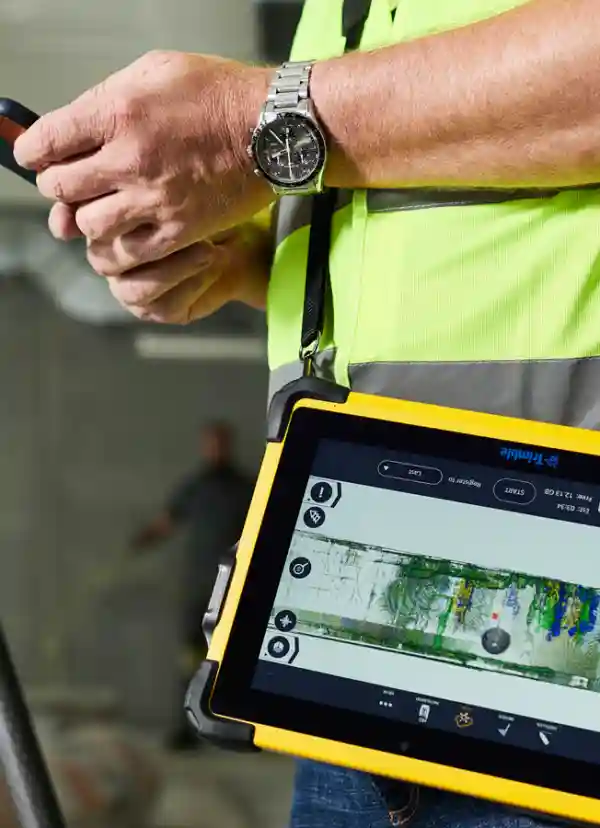
Trimble FieldLink

CONSTRUCTION SETOUT AND SCANNING SOFTWARE

Boost field productivity and precision with a single solution that manages the entire construction setout and as-built data collection process.

Trimble FieldLink offers a flexible, scalable field setout and scanning solution, delivering performance up to 200% higher than traditional workflows.

Reduce Setout & Scanning Complexity for Faster Results

Trimble FieldLink

Upgrade Your Setout and Scanning Methods

Watch how Trimble FieldLink transitions across all Trimble setout and scanning instruments to help contractors translate the precision of 3D models directly into the field.

FieldLink – Upgrade Your Setout and Scanning Methods

Watch how Trimble FieldLink transitions across all Trimble setout and scanning instruments to help contractors translate the precision of 3D models directly into the field.

  • Boost Productivity

    Trust your crews to perform quality, automated setouts with easy-to-use, task-based workflows, customisable views, and a touch-screen interface.

  • Reduce Errors and Rework

    Empower your teams with a combination of tools built just for contractors – Increasing accuracy and avoiding the reintroduction of clash issues.

  • Easily Translate Design Intent

    Connect field crews to digital, 3D Constructible models to maintain a direct link between design intent and construction reality.

  • Leverage Subscription Plan Flexibility

    With affordable software license offerings positioned to suit your workflow, upgrades are immediately available to utilize the latest enhancements, and easily expand as you need to.

  • Take your design to the real world

    Connect field crews to digital, 3D Constructible models to maintain a direct link between design intent and construction reality.

  • Streamline License Management

    Assign users, easily transfer between devices and generate usage reports to optimise your licenses, with a unique Trimble ID for each seat.

Trimble FieldLink

ONE SOLUTION FOR ALL FIELD LAYOUT & SCANNING TASKS

Trimble FieldLink

Accurate Layout, Every Time

Take control of robotic total station or GNSS receiver to precisely layout directly from the model or created lines.

Efficient scans

Quick and Efficient Scans

Quickly and effectively collect points, lines and curves to create your own 3D project as-built or surface analysis.

Field layout

Easy As-Built Collection

Quickly and easily collect as-built points with FieldLink and the Trimble Ri or Trimble RTS series Robotic Total Stations. Ensure accuracy with your model in real time.

Scanning registration

In-Field 3D Scanning Registration

Leave the jobsite with a registered point cloud aligned to your Constructible model and easily export to your prefered CAD program.

FieldLink Video Overview – Key Benefits with Numbers

1. Integration and Compatibility: Supports a wide range of file formats for seamless integration with multiple design models and construction workflows, enabling faster project setup.

2. Efficiency and Accuracy: Enhances layout precision and reduces errors, helping teams cut rework and save up to 30–50% in time compared to traditional workflows.

3. User-Friendly Interface: Intuitive interface with real-time feedback allows both new and experienced users to perform tasks efficiently, increasing productivity by up to 40%.

4. Advanced Features: Automatic point creation, customisable reports, and handling of complex geometries streamline layout tasks, improving accuracy and saving hours per project.

5. Field-to-Office Connectivity: Ensures instant access to the latest project data for all stakeholders, reducing miscommunication and delays by up to 25%.

6. Versatility: Suitable for plumbing, electrical, and HVAC layout applications, supporting teams across multiple trades and projects, enabling up to 200% faster field workflows.

Trimble FieldLink is a modern, comprehensive solution for MEP layout, delivering measurable improvements in efficiency, accuracy, and collaboration.
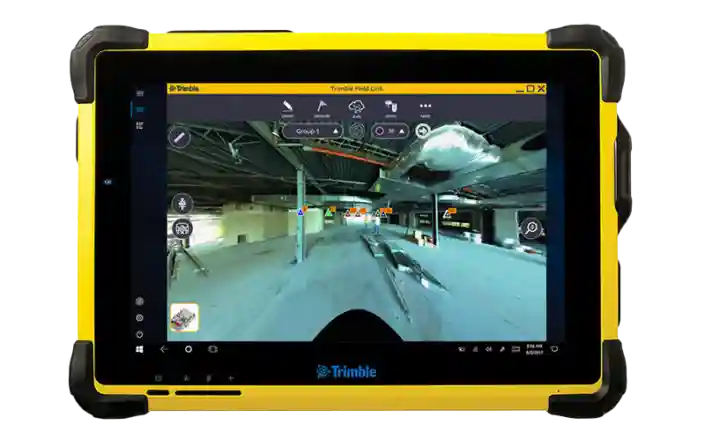
TRIMBLE FIELDLINK

© Copyright - BuildingPoint New Zealand