
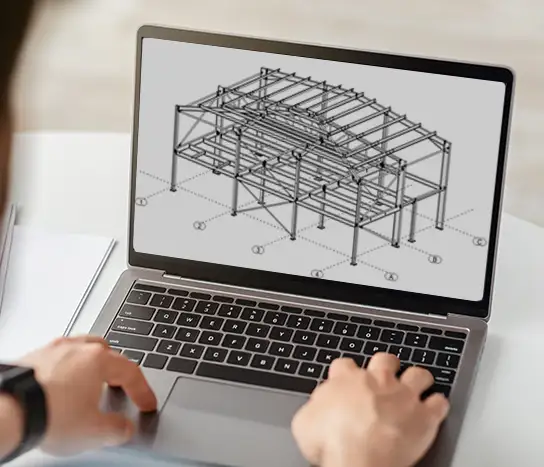
Tekla Structures for Steel Detailers Course

Tekla Structures for Steel Detailers Course

Learn to Detail Steel Structures with Precision in Tekla Structures

Develop the expertise to create precise, fabrication-ready steel detailing models using Tekla Structures. The Tekla Structures for Steel Detailers Course guides detailers in efficiently modelling, documenting, and delivering steel structures in line with industry standards.

Through hands-on, practical exercises, the course covers real-world detailing workflows—from modelling connections to generating comprehensive shop drawings. By the conclusion of the course, you’ll be able to confidently produce accurate models and outputs ready for fabrication and construction.


Course Requirements

To complete this course you will need access to Tekla Structures. Students can obtain a free educational licence via Tekla Campus, which provides a 12-month licence for learning purposes.

What You’ll Learn

By completing this course you will learn how to:

  • Set up and manage a steel detailing model in Tekla Structures
  • Model structural steel elements including beams, columns and bracing
  • Apply and modify steel connections and components
  • Create and manage assemblies and numbering
  • Model plates, stiffeners, bolts and welds
  • Produce fabrication-ready shop drawings
  • Generate assembly and single-part drawings
  • Manage revisions and drawing updates
  • Prepare models and outputs for fabrication workflows

Course Overview

  • Course format: Self-paced online training
  • Access period: 182 days
  • Environment: Australasian Tekla Structures environment
  • Training materials: Video tutorials, drawings and step-by-step instructions

Course Curriculum

The course is structured into progressive tutorials that take you from modelling basics through to advanced detailing and documentation.

· Create a new model and grids

· Create model views

· Model footings, columns and beams

· Apply connections such as baseplates and endplates

· Work with offsets and rotations

· Model portal frames and bracing

· Work with workplanes and true plan views

· Model purlins, roof bracing and bridging

· Explore 3d modelling techniques

· Model plates using Contour Plate and beam tools

· Learn how to model holes and welds

· Model stairs and stringers

· Apply mitre joints and cutting tools

· Create folded plate elements

· Create custom components

· Model stiffeners and baseplates

· Apply bolts, penetrations and notches

· Creating a Truss made from pipe profiles and cutting pipes around pipes

· Explore manipulating an endplate connection to work with pipes and adding splice connections

· Creating pipe wrap drawings

· Learn how to setup a model with specific numbering systems

· Setout a complex hip roof framed structure

· Explore numbering, checking the model and running reports

· Learn how to create GA Drawings (Marking Plans)

· Creating Assembly and Single Part drawings using Drawing Wizards

· Exploring drawing editing tools

· Manage changes to drawings following revisions to the model

· Exploring drawing flags when drawings are affected by revisions

· Learn the steps to follow to successfully complete a revision

Tekla Structures for Steel Detailers Course